Custom auth defense html's form style
Published a year ago
# SafeLine WAF
Resources
Published a year ago

gun young
Updated a year ago
0
Under Settings > Protections Tab. Configuration Modules, find the [Custom HTML] module.
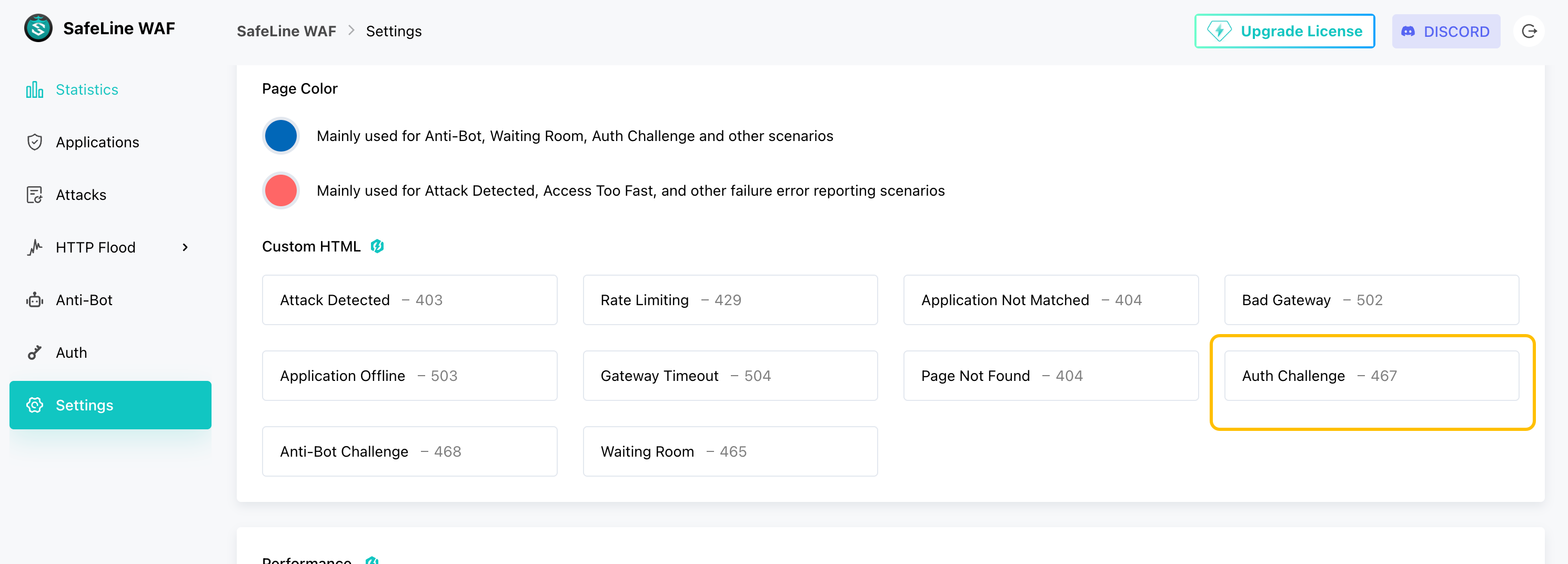
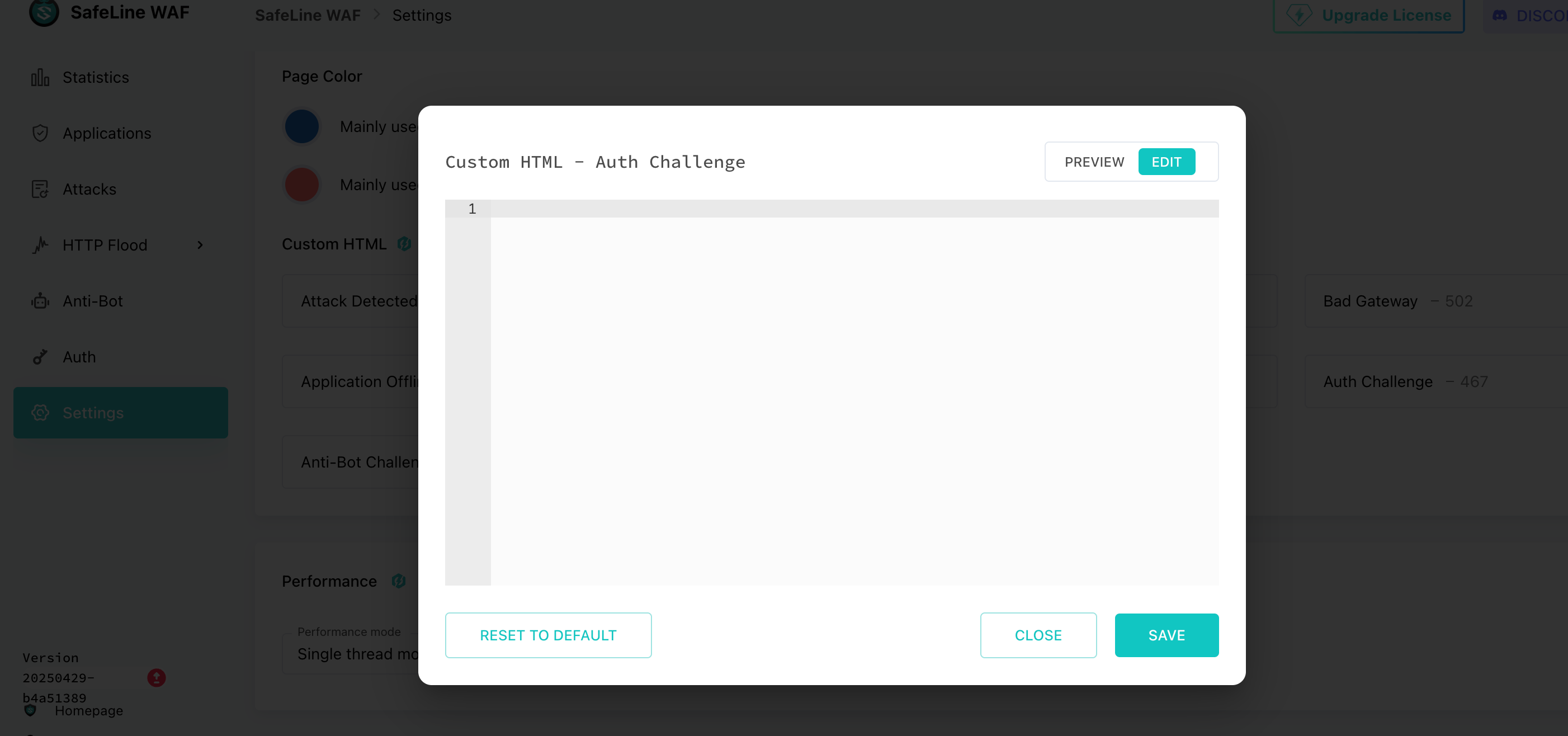
Just like in a standard HTML page, you can add both and <script> tags together—this means you can adjust the center section's appearance with CSS.
Example
Copy the sample code at the end of the article to here.
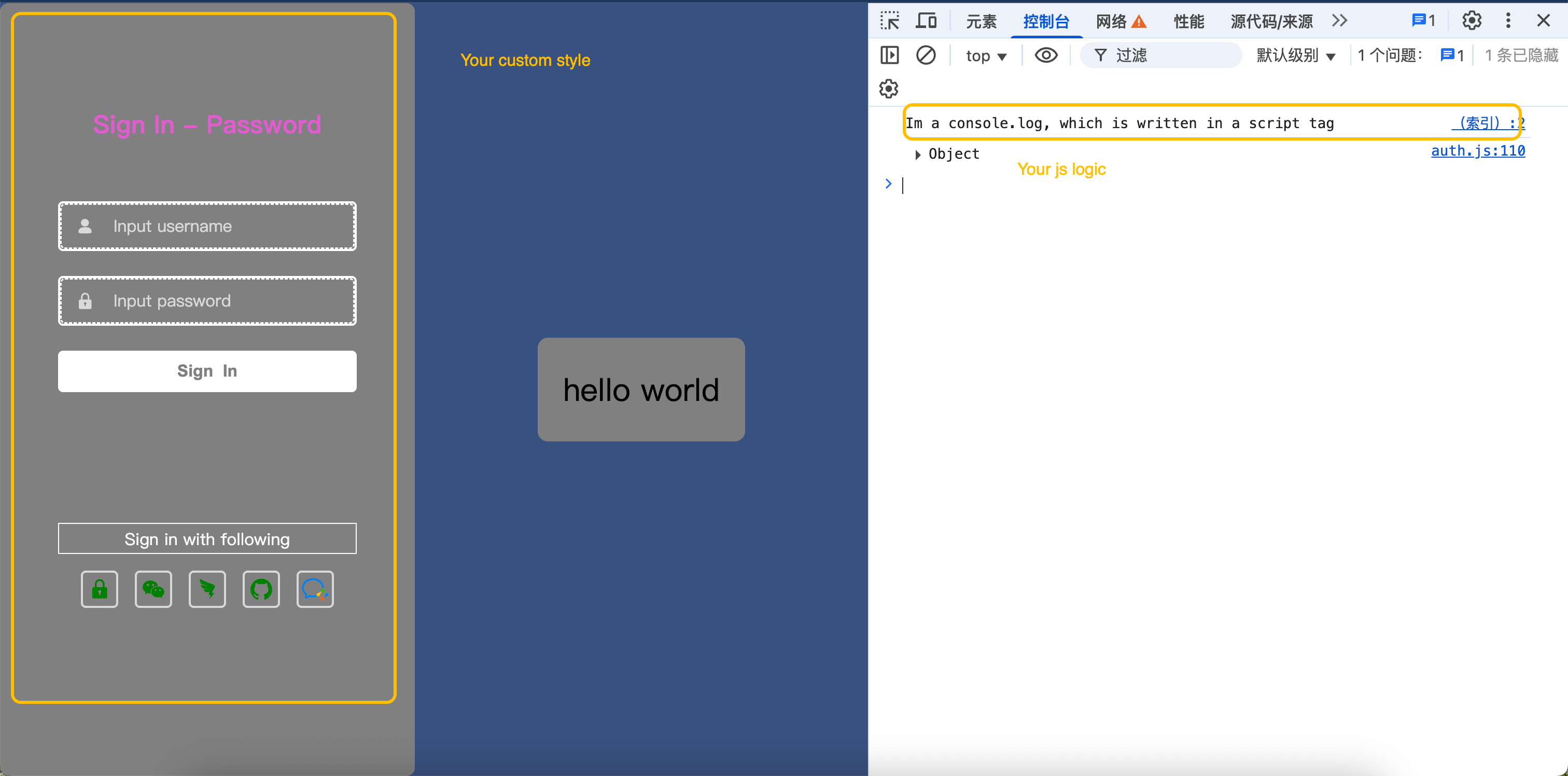
Result
<script>
  console.log('Im a console.log, which is written in a script tag');
</script>
<style type="text/css">
  body {
    background: #395180;
    margin: 0;
  }
  body #slg-box {
    background-color: grey;
    width: 400px;
    height: 100%;
    top: 0;
    left: 0;
    transform: translate(0, 0);
    padding: 100px 20px;
  }
  body #slg-usergroup-username,
  body #slg-usergroup-password {
    background-color: grey;
    color: #fff;
  }
  body #slg-box-title {
    color: #e15ccf;
  }
  body #slg-usergroup-btn {
    color: grey !important;
  }
  body #slg-with-more-title div:nth-child(2) {
    background-color: transparent;
    width: 100%;
    height: 30px;
    line-height: 30px;
    text-align: center;
    border: 1px solid;
  }
  body #slg-with-more-title div:nth-child(1) {
    display: none;
  }
  body #slg-tabs > div {
    fill: green;
  }
  body #slg-usergroup-container input {
    border-style: dashed;
  }
</style>

<div
  style="
    background-color: grey;
    width: 200px;
    height: 100px;
    text-align: right;
    top: 50%;
    position: relative;
    left: calc(50% + 200px);
    position: relative;
    transform: translate(-50%,-50%);
    border-radius: 10px;
    font-size: 30px;
    line-height: 100px;
    text-align: center;
  "
>
  hello world
</div>